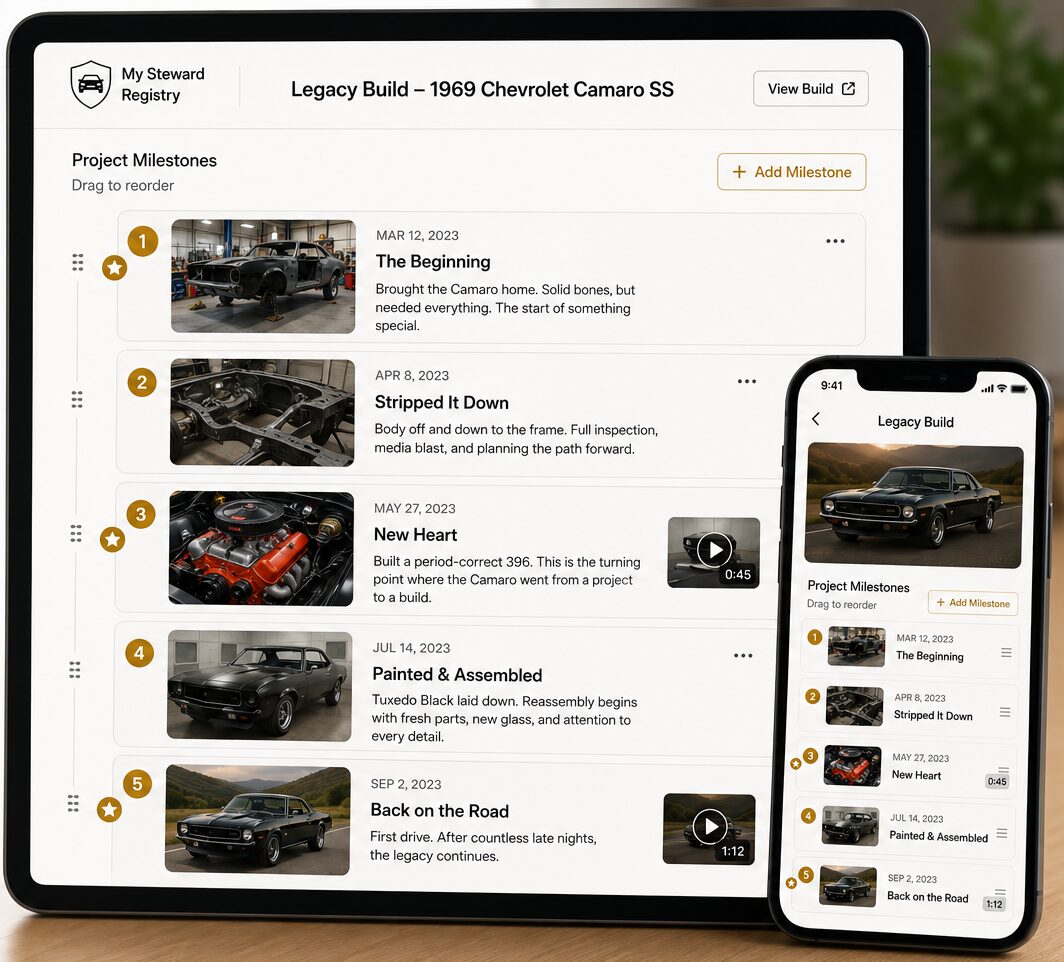
My Vehicle Records
Everything about your vehicle, in one place
Organize every receipt, service record, warranty, manual, photo, and document for the vehicles you care about — private by default, yours to share.
Start your vehicle records
Steward Assistant
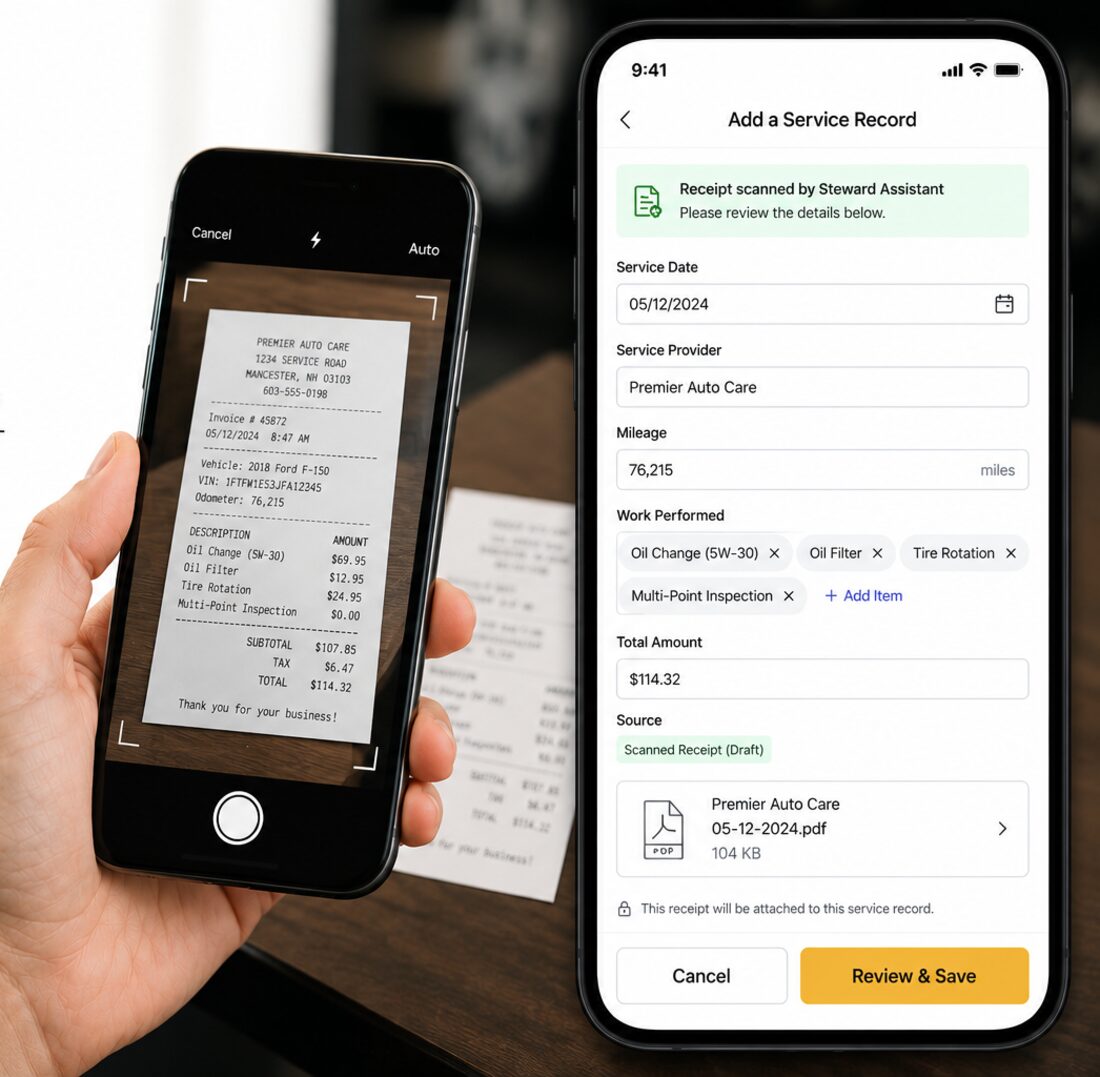
Steward Assistant reads your receipts
Upload a photo or PDF of a service receipt and the Steward Assistant pulls out the date, the shop, the mileage, and the work performed — turning a shoebox of paper into records you can actually search.
- Add the receipt and the form fills itself in, instead of you typing it out field by field.
- Everything it reads is a draft marked as coming from the receipt. You confirm or correct each detail, and nothing joins the record until you save it.
- The receipt stays attached to the record, so the source behind every entry is always one tap away.
NHTSA recalls
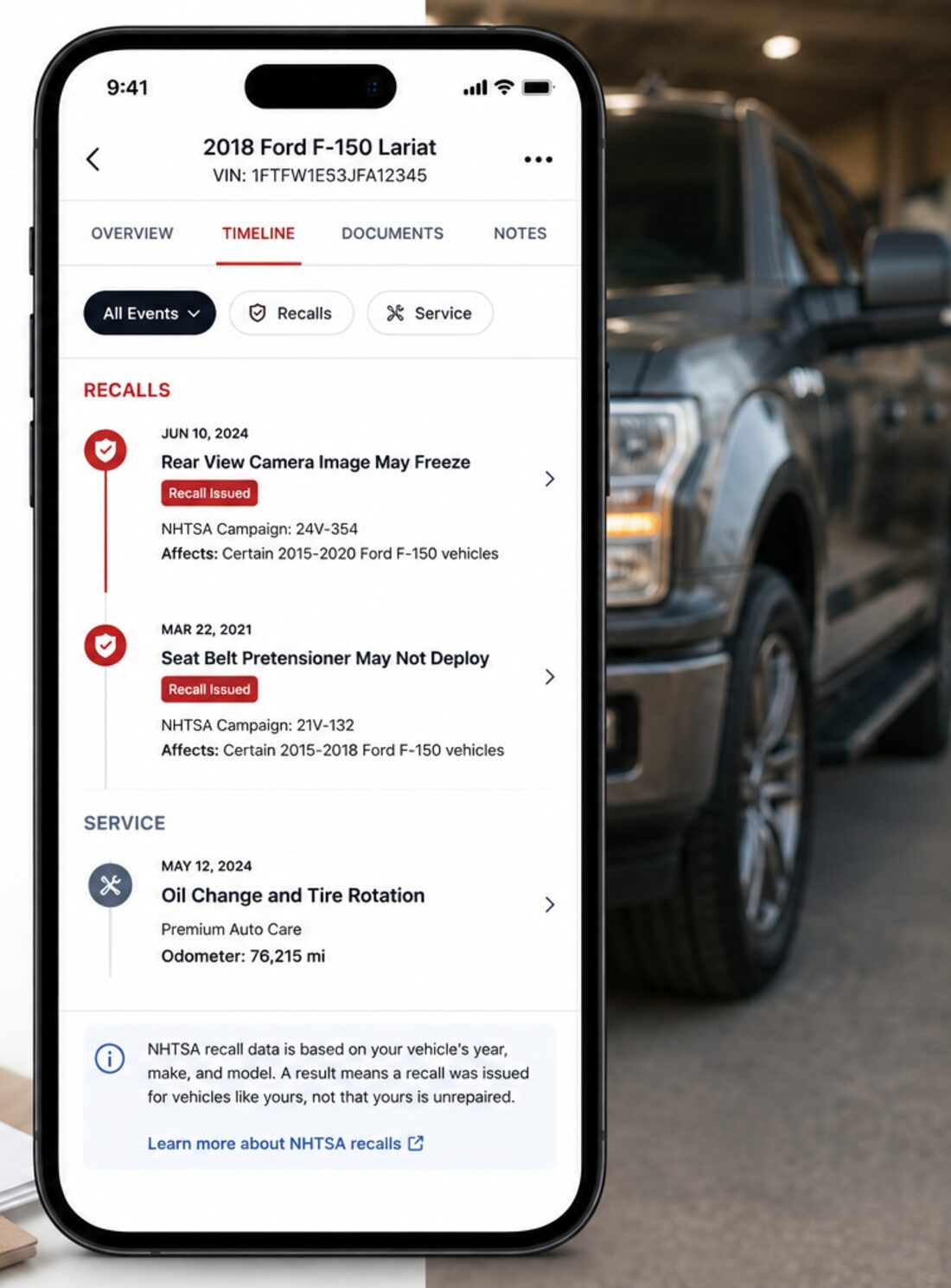
Manufacturer recalls, checked for you
We check NHTSA's public recall database for your vehicle and surface anything that comes back, right alongside the rest of its history.
- Recalls appear on the vehicle's timeline, kept clearly separate from the service work you paid for.
- NHTSA matches on year, make, and model — so a result means a recall was issued for vehicles like yours, not that yours is unrepaired.
- Vehicles built before 1981 fall outside NHTSA's lookup. We say so plainly rather than showing an empty result.
Photos & video
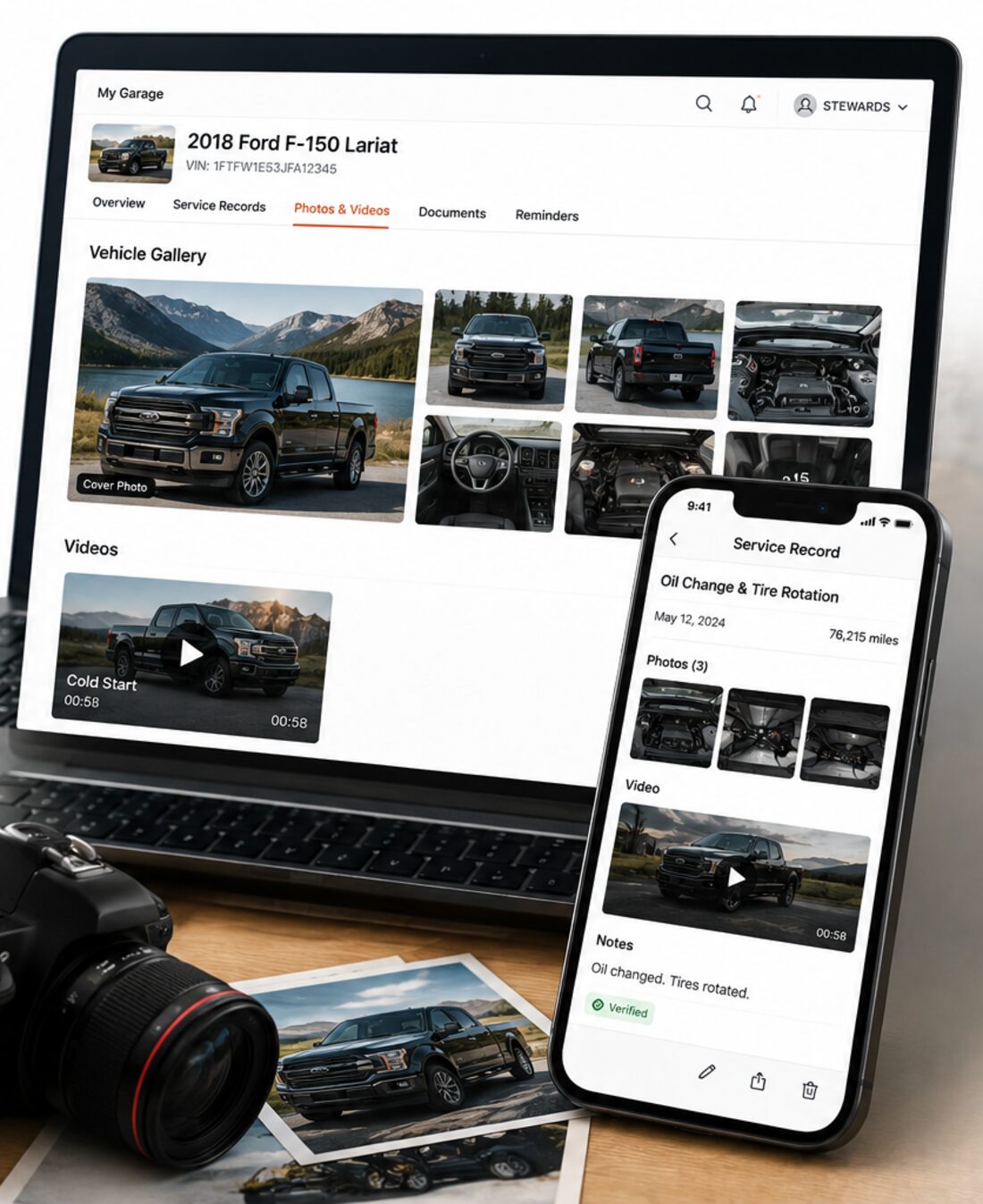
Show the work, not just the paperwork
A receipt says what was paid for. A photo says what was actually done. Add both to the vehicle as a whole and to the individual records that make up its history.
- Build a gallery for the vehicle and choose the cover photo that represents it.
- Attach photos to a specific service record, where they appear inline on the timeline beside the work they document.
- Add one short clip per vehicle — up to two minutes — for what a still photo can't carry, like a cold start or a walkaround.
Warranties
Know what's still covered
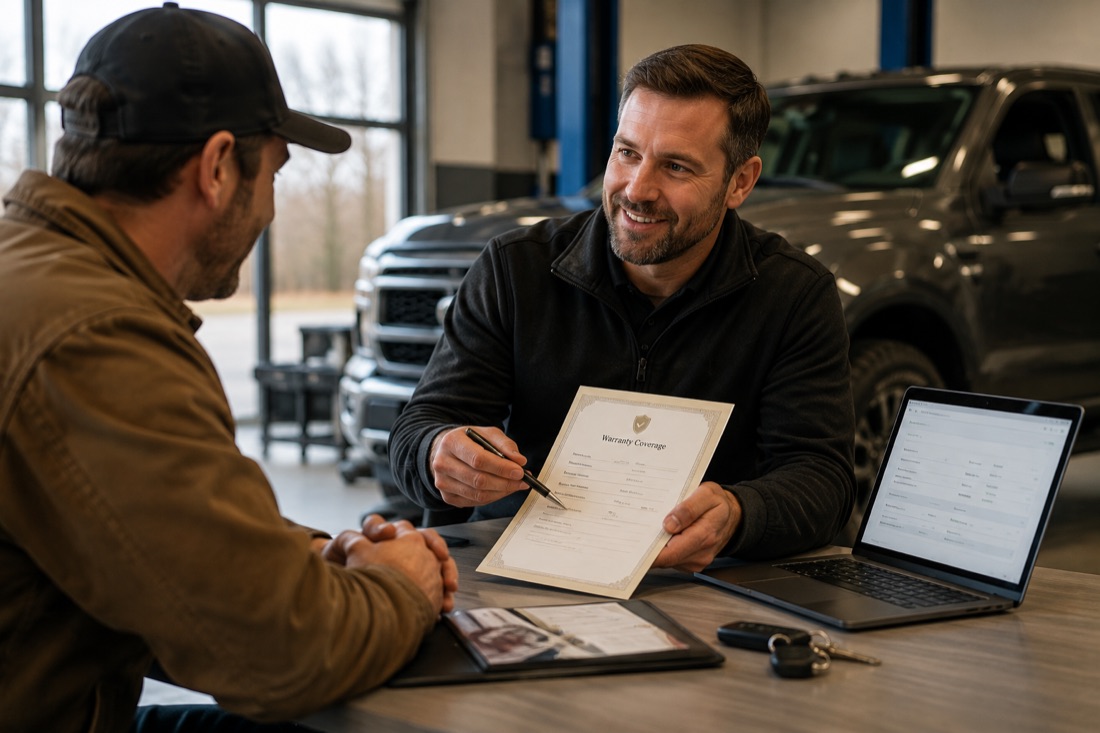
Record the coverage that came with the work — who provides it, when it started, and when it runs out — so the answer is on the vehicle instead of in a drawer.
- Set a coverage period or mark it lifetime, and each warranty shows as active or expired against today's date.
- Attach a warranty to the service visit that earned it, so the coverage sits with the work rather than floating on its own.
- Warranties stay private until you choose to publish them to the vehicle's public record.
The timeline
All your records on one clean timeline
Every service, photo, warranty, document, and recall lands in chronological order, so a vehicle reads as one continuous history instead of a folder full of loose files.
- Newest work first, with the full history a single scroll away.
- Each entry carries where it came from, so it's clear what an owner documented and what a shop verified.
- It shows what's on the record and nothing more. A quiet stretch isn't presented as a gap, because a gap in the paperwork isn't the same as a gap in the care.